
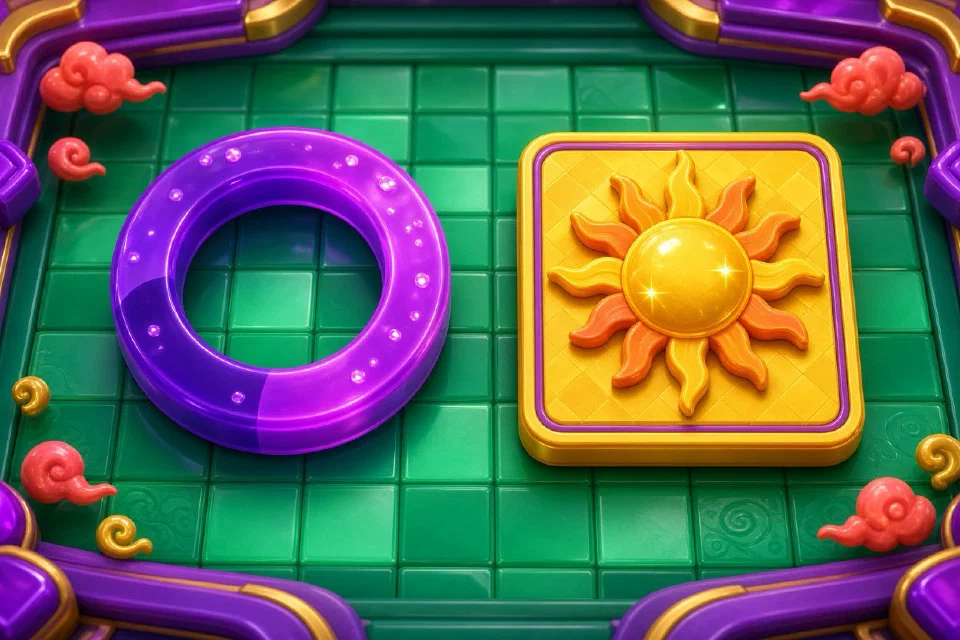
Distinguish a board picture from a launcher#
If you can scroll past the board to an article about the pictures, you may already have everything the page was meant to show. Open the illustrated demo and look at how the board sits alongside the text. Its purpose is to let you inspect JILI’s layout. A chip, a card edge or a button drawn inside that image stays part of the picture, however much it resembles a working control. If a screenshot is all you were sent, ask for the page it came from. An image copied out of a working trial will be just as still as the guide poster.
Find the bottom strip. It contains two rows of picture choices, including the sun, the spinning top and the rabbit. Above it there is room for a result. With a still image, you can compare their positions or enlarge the view to read a label. You cannot use that illustration to check how much money is in an account or whether a trial accepted an action.
Identify the official still image#
Suppose you touch the rabbit and wait for a reveal. The page still shows the same cards and its article is readable below them. That sequence is consistent with viewing a poster. You can carry on learning the layout there. The separate partner button takes you to a different destination and is unnecessary for looking more closely at the rabbit.
A trial has a launch of its own. If you meant to open one, identify the tab you opened and look at what surrounds the picture. An article heading, a caption and a link to a lobby give you different clues from a game loading screen. Describe the page in those terms if you ask someone for help. “The article image stays still” is a much more precise starting point than “the game is broken.”
Read a loading screen carefully#
A publisher logo or progress bar tells you the launch has reached a screen it can display. It is too early to follow playing instructions if the selection area has yet to appear. Read any text alongside the bar. Note whether it remains visible, disappears into a blank space or gives way to a browser error. Those are different observations, even if each one stops you reaching the game. Note whether the progress graphic stayed on screen or a new message appeared. If there was a message, copy the words even when it had no error number.
Look for a usable picture strip and a balance identified in the context of the trial. A balance printed inside a poster is insufficient. If a separate game opens but the kind of balance is unclear, pause before using a selection to test it. The question you came to answer was whether the trial loaded. You can investigate that question without placing a stake.
Recognise a launch that stopped before the controls#
Imagine that your first screen shows the JILI name and the next still shows the same loading artwork. You have seen the beginning of a launch. You have yet to see the point where you could select a picture. In a note, say “stopped at the JILI loading screen before the selection strip appeared.” Avoid guessing which particular service failed from that single observation.
Now consider a tab where you saw the picture strip and a balance, then lost the view after making a choice. Record the last picture and any confirmation you saw. That is a different enquiry from reporting a trial that never reached the controls. Keep the original tab and the time in your note. A second attempt to play would make it harder to say which action you are describing.
Check whether the connection is the issue#
Read the address in the browser first. A board article, a publisher launch and a lobby can all use the word Pappu in the page title. Match the site and the kind of page with the destination you intended. If the address came from a message, check a Pappu game link before following another one offered as a replacement for the first. Use a second site that you open afresh. Reading text left on the screen in a tab from yesterday gives you little information about the connection available to the browser now.
Google’s Chrome troubleshooting starts with simple checks. Open a second tab and try a familiar ordinary website. Choose a page you expect to be able to read without signing in. If several pages show a connection error, check the device’s connection. If the other page loads, keep the investigation focused on the address that failed. Success on another site cannot pinpoint the reason a single game launch stopped.
Check one affected tab against a second website#
For a fresh launch that showed an error before you reached the controls, check the address and reload the affected page once. Compare the new screen with the wording you copied before the reload. Getting the same message again gives you something specific to report. Repeated refreshes add little to that description, particularly if the tab keeps returning to the same point in the launch.
On a computer, keeping the two tabs open side by side can help you avoid reloading the good page by mistake. The desktop board setup explains what should be visible when you are inspecting the board. If your original tab held a possibly submitted selection, keep its visible details first and check the round record before doing anything that could be taken as another selection.
Choose the right place to report it#
Start with the service that opened the screen you were using. A publisher trial that stops at its logo and a partner account that shows a disputed balance call for different records. For a launch issue, write down the device, browser and approximate time with your time zone. Add the page you opened, the words you saw and whether the board ever appeared. Share an ordinary page address and leave private session details out of messages. If the problem happened on someone else’s phone, use their device and browser description. The laptop you use to write the report is incidental to the original error.
For example, “Android phone, Chrome, around eight in the evening Indian time. The article opened. The separate trial showed its loading screen, then stayed there. Another site opened in a second tab.” That gives the recipient a sequence to investigate. It does not require you to work out the cause first or send a picture of your account.
Record the error without submitting another stake#
If you had already reached the board, add what happened immediately before it stopped responding. Mention any stake or result that was visible and distinguish it from what you expected to see next. If you never got beyond the logo, say so. That detail can spare someone the job of looking for a round you never had the opportunity to start.
For money already sent, keep the payment receipt and the cashier details for the service handling that transfer. A blank trial window cannot establish whether money moved. If your aim is to recognise the drawings, the twelve Pappu pictures remain available as an illustration while a launch enquiry is outstanding. You can use them to identify a tile without reopening an account or making another attempt at a round.